Recently lot of friends asked about a kids Photo shooted 2 weekes back. so a minimal howto tutorial for that pic.
Actually speaking the photo about 50% camera 30%expression and 20% PS . ;-)
1.Lighting Setup
Some points in lighting: *It 's Night ,So less distracted BG *It's a outdoor shot ,shot from a doorway *SB600 ,remote triggered.and made angle that the flash bounces on the sun shade and lit the kids. * I used D300 in ,A priority F1.8 and sport metering
2.Original output: *So i got this shot with perfecr expression of that day *From here ,i got 2 way ,once is to enhance the vibrancy ot go for black and white
3.Final Processing: *Colour (added soft-focus and vibrancy)
*Black & White(this is a next shot of above photo ,I preferred closed eyes for B&W)
And finally i shared this in flickr ;-),More photo properties available in above pic's EXIF data.
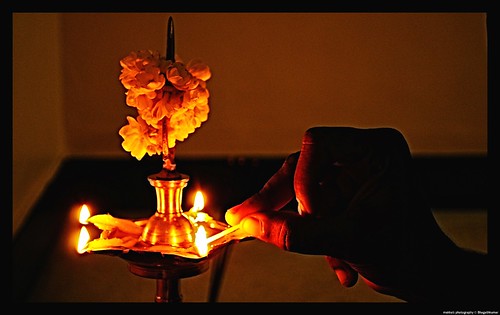
Theme : Festival of Lights Entry Date: 13-October-2009 00:00:00 Last Date : 25-October-2009 23:59:59
Preparation for Diwali is hitting the streets. We can go with the theme of Festival of Lights. Play with Lights and preparation of the festival. Guys lets get into the street and bring your lights !!
How to post your entries? 1. Upload your photo in the Flickr 2. Copy the Photo URL 3. Reply to the Discussion Topic given ( http://www.flickr.com/groups/ctcstudio/discuss/72157622447359511/ ) and paste your url in the following format (URL should be enclosed with the Square brackets) [URL] Ex: [http://www.flickr.com/photos/bhagathk/3363975042/]
4. Add more details in the reply and post the reply
A perfect exposure is the Holy Grail of every photographer. Although there are various methods and ways to understand what correct exposure is all about – The histogram today is one of the most useful ways to understand Exposure in photography.
They are an essential aid for digital SLR photographers striving to achieve consistently correct exposures in-camera and are a more accurate method of assessing exposure than looking at images you've taken on the LCD monitor. Therefore, if you are not already in the habit of regularly reviewing your image' histogram, it is time you did so
In basic terms, a histogram is a two-dimensional graph, often resembling a range of mountain peaks, which represents an image's tonal extent. Whilst, at first glance, histograms might appear quite complex and confusing, they are actually very simple to read. A histogram is a graph counting how many pixels are at each level between black and white.
·Black is on the left. White is on the right.
·The height of the graph at each point depends on how many pixels are that bright.
·Lighter images move the graph to the right. Darker ones move it to the left. Easy!!!
The histogram therefore, quite simply, shows 256 levels of light (tones) that are present in an image. The peaks indicate a large volume of pixels in a particular tone and the troughs appear where there are fewer pixels.
In effect, by simply looking at an image's histogram, a photographer can tell whether the picture is made up of predominantly light, dark or mid-tones.
So what should a histogram look like? This is a tricky one to answer. Despite what some people may say, there is no such thing as the 'perfect histogram'. It simply tells us how a picture is exposed, allowing photographers to decide whether - and how - to adjust exposure settings. However - A few points to note are:
·The vertical scale is of no real consequence (it’s just an indication of the number of pixels at any given light level).
·Low contrast images will have a very narrow histogram, whilst high contrast images will cover more of the graph.
·Techniques such as high dynamic range (HDR) photography (and tone mapping) can be used to increase the light levels captured in the image - effectively increasing the exposure latitude.
·For finer control, individual histograms may be viewed for red, green and blue colour channels or the luminosity.
This is a really great tool to have built into your camera! It lets you get a quick idea of what the exposure was like--whether it was improperly exposed, or whether your scene exceeds the dynamic range of your camera (take a shot from inside your house through a window and you'll run into this problem--too dark inside, too light outside).
The Levels and Curves tools in Photoshop allow you to manipulate your photo's histogram in your image editor. In particular, the Levels tool allows you to stretch your histogram to increase contrast and extend the dynamic range of the photo.
We shall cover the concept of the camera's limited "dynamic range", (the range that it can distinguish between dark and light areas in a frame) & "High Dynamic Range" (HDR) photography, a fun subject for another post.